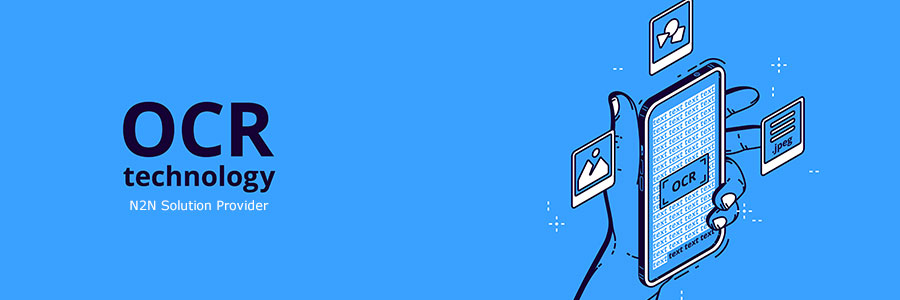
ก่อนอื่นเราอาจจะต้องทำความเข้าใจกับคำว่า OCR หรือ Optical Character Recognition ซึ่งเป็นกระบวนการของการแปลงสื่อสิ่งพิมพ์ เช่น กระดาษ นิตยสาร สัญญา หรือข้อมูลอะไรก็ตามที่อยู่ในรูปของเอกสารกระดาษ ให้กลายเป็นเป็นข้อความที่นำไปใช้งานต่อได้ในทางดิจิตอล หรือ ทำให้มีความฉลาดมากขึ้นกว่าการเป็น…
การถอดเป็นข้อความธรรมดา ก็คือ สามารถบันทึกไปสู่ไฟล์ประมวลผลคำที่สามารถแก้ไขได้ง่าย และบันทึกเก็บไว้ได้ เช่น Word, Text เป็นต้น ด้วยเทคโนโลยีนี้ได้เปิดโอกาสให้สามารถเลือกใช้วัสดุ หรืออุปกรณ์อื่นๆเพื่อใช้ในการสำรองข้อมูล โดยพื้นที่ที่ใช้งานที่ก็ไม่ต้องมาก ซึ่งต่างกับการเก็บข้อมูลที่ยังคงอยู่ในรูปแบบของการะดาษ เทคโนโลยี OCR ยังส่งผลกระทบเป็นอย่างมากกับแนวทางแห่งการจัดเก็บข้อมูล แบ่งปันข้อมูล และ แก้ไขข้อมูล ก่อนที่เทคโนโลยี Optical Character Recognition นี้เกิดขึ้น ถ้ามีคนต้องการเปลี่ยนหนังสือให้ไปเป็นข้อมูลในโปรแกรมการประมวลผลคำ แต่ละหน้าๆของหนังสือเล่มนั้น จะต้องพิมพ์คำแล้วคำเล่าจนครบ

|
เทคโนโลยี OCR ต้องการทั้งฮาร์ดแวร์และซอฟต์แวร์ นอกจากนี้ ระบบ OCR ที่มีความสลับซับซ้อน จำเป็นต้องใช้แผงวงจรเพิ่มเติม ติดตั้งไว้ในอุปกรณ์คอมพิวเตอร์ หรืออุปกรณ์เพื่อการอ่านข้อมูล OCR พิเศษเหล่านี้ เช่น เครื่องสแกนเอกสารเช็ค เป็นต้น เพื่อที่จะให้สามารถจบกระบวนการต่างๆได้ด้วยตัวเอง เครื่องสแกนชนิดใช้แสงและเลนส์ (Optical scanner) จะสแกนข้อความบนหน้ากระดาษ แล้วแตกข้อมูลตัวอักษร มาสู่อนุกรมแบบจุด ซึ่งเรียกว่า “บิตแมป” ซอฟต์แวร์สามารถอ่านอักษรที่ใช้กันทั่วไปๆได้ และแยกแยะระหว่างเส้นเริ่มต้นและสิ้นสุด บิตแมปนี้สุดท้ายจะถูกแปลไปเป็นข้อความคอมพิวเตอร์ |
ในขณะที่เทคโนโลยี Optical Character Recognition ได้ถูกทำให้ก้าวหน้ามากใหลายๆปีที่ผ่านมา แต่ก็ยังไม่ดีหากนำมาใช้งานกับข้อมูลประเภทลายมือหรือแบบอักษรที่มีลักษณะคล้ายกับลายมือ มีหลายๆระบบที่อยู่ในอุตสาหกรรมธนาคารที่ใช้เทคโนโลยี OCR เพื่อที่จะลองอ่านข้อมูลที่เป็นจำนวนเงินบนเช็คซึ่งใช้มือเขียน และทำงานไปพร้อมๆกับความสามารถของคอมพิวเตอร์อ่านเส้นทาง และหมายเลขบัญชี
เรา OCR เอกสารกันไปทำไม
ในแต่ละวัน ภาคธุรกิจต่างๆได้สร้างเอกสารใหม่ขึ้นมาอย่างมากมาย ซึ่งมีแนวโน้มว่ายังคงจะมีมากขึ้นๆ และต้องการพื้นที่เพื่อการจัดเก็บเอกสารเหล่านี้ โชคดีที่เครื่องคอมพิวเตอร์ในปัจจุบันสามารถแก้ปัญหานี้ได้โดยการแปลงเอกสารกระดาษให้เป็นไฟล์อิเล็กทรอนิกส์ซึ่งสามารถเก็บไว้ในสื่ออิเล็กทรอนิกส์ขนาดกะทัดรัด และเข้าถึงข้อมูลได้ในระดับไม่กี่วินาที
|
แต่เอกสารกระดาษยังคงยึดพื้นที่ และเป็นส่วนหนึ่งของชีวิตประจำวันในสำนักงานของเราไปซะแล้ว บ่อยครั้งที่เราต้องการแปลงข่าวสารที่อยู่ในรูปของกระดาษให้เป็นรูปแบบดิจิทัล (เช่นแปลงเป็นแบบฟอร์มอิเล็กทรอนิกส์) เอกสารข้อตกลง หรือเอกสารสัญญาการรับสำเนาดิจิตอล มันแน่นอนว่า คุณสามารถสแกนเอกสารของคุณ แต่สแกนเนอร์ทำได้เพียงผลิตไฟล์รูปภาพ (image) ซึ่งเป็นเพียงวิธีการจับข้อมูลอักขระที่ถูกพิมพ์ไว้บนเอกสารกระดาษ ที่ซึ่งไม่สามารถทำการแก้ไขข้อความ โดยใช้โปรแกรมแก้ไขข้อความทั่วๆไป เช่น Notepad เป็นต้นได้ แล้วอะไรคือเครื่องมือที่จำเป็นต้องใช้เพื่อแยกข้อมูลจำพวกอักษร/อักขระออกมาจากฟอร์มเอกสารที่เป็นรูปภาพ และจากนั้นก็นำมาสร้างเป็นไฟล์อิเล็กทรอนิกส์ชิ้นใหม่ที่เสมือนถูกทำซ้ำมาจากเอกสารต้นฉบับดังกล่าว |
เครื่องมือที่ว่า มีตัวตนอยู่ และมักจะถูกเรียกว่า ซอฟต์แวร์เพื่อการรู้จำตัวอักษร หรือ OCR Software โปรแกรมจำพวก OCR นี้ อนุญาตให้คอมพิวเตอร์เกิดความสามารถในการอ่านข้อมูลที่ผ่านการสแกนแล้ว โดยสามารถแยกข้อมูลชนิดข้อความออกจากข้อมูลชนิดรูปภาพ และองค์ประกอบรูปแบบประเภทอื่นๆได้ สามารถเรียนรู้ และวิเคราะห์ข้อมูลชนิดตารางได้ และอื่นๆ หลังจากกระบวนการการรู้จำข้อมูลเสร็จสมบูรณ์ คอมพิวเตอร์จะประกอบข้อมูลใหม่ทั้งเอกสาร ที่มีรูปร่างหน้าตาของโครงสร้างเอกสารจะคล้ายกับเอกสารต้นฉบับเลยทีเดียว! แถมยังเอื้อให้สามารถเกิดการแก้ไขรูปแบบ ตัวอักษร ขนาดของข้อมูลภายในเอกสารที่ถูกสร้างใหม่นี้ได้ด้วย ซึ่งวิธีการนี้ส่งผลให้เกิดความสะดวกมากกว่าวิธีการดั่งเดิมที่ต้องพิมพ์ข้อมูลลงไปในเอกสารใหม่ ด้วยมือ
เพื่อให้เห็นภาพของ พลังความสามารถของเจ้า OCR นี้ ให้เราดูที่ตัวอย่างจริง โดยจินตนาการถึง สถานีตำรวจที่มีบันทึกข้อมูลทางอาญาทั้งหมดเก็บไว้ในตู้เอกสารขนาดใหญ่มาก ถึงแม้ว่าการสแกนเอกสารนับล้านแผ่น จะมีต้นทุนราคาที่ค่อนข้างแพง และใช้เวลาเป็นอย่างมาก แต่ประโยชน์ที่ได้จากการสแกนเอกสารนี้กลับมีอย่างมหาศาล เมื่อนำระบบ OCR มาทำการแปลงหน้าผ่านการสแกนแล้ว ให้กลายเป็นข้อความซึ่งคอมพิวเตอร์สามารถอ่าน และเข้าใจได้ ยกตัวอย่างเช่น พนักงานสืบสวน สามารถค้นหาข้อมูลประวัติอาญากรรมทั้งหมดได้ภายในไม่กี่วินาที ซึ่งในทางกลับกัน หากต้องค้นหาระเบียนข้อมูลข้างต้นด้วยตนเอง ด้วยวิธีดั่งเดิม คือค้นหาตามแฟ้มเอกสาร อาจจะไม่ยากเกินไปนัก แต่ละนึกดูว่า หากพนักงานสืบสวนต้องค้นหาทุกระเบียนอาญากรรมที่เกิดขึ้นในระยะเวลา 8.00 ถึง 8.30 เข้าจะทำอย่างไร และนี่ก็เป็นเพียงตัวอย่างที่ไปสะกิดผิวของคุ้มพลังแห่งการ ค้นหาชุดข้อมูลอักษรทั้งหมด และนี่ก็เหตุผลเดียวที่หลายๆ บริษัท หลายๆสถาบัน ได้มีการใช้จ่ายหลายล้านเหรียญดอลลาร์เพื่อทำ OCR ให้กับข้อมูลเดิมของตนเอง
| หนึ่งในโปรแกรมประเภท OCR ที่ได้รับความนิยมมากที่สุด ที่มีจำหน่ายอยู่ในตลาดปัจจุบันก็คือ ABBYY FineReader ซึ่งไม่เพียงแต่ความแม่นยำด้านการแปลงอักขระที่ถูกพิมพ์มาที่ได้รับการยอมรับ ยังมีเรื่องของการรักษา หรือคงไว้ซึ่งรูปแบบของตัวอักขระที่ปรากฎในเอกสารผลลัพธ์ ถูกทำให้เหมือนกับเอกสารต้นฉบับได้ด้วย ไม่ว่าจะเป็น ตำแหน่งที่ถูกจัดวางได้ใกล้เคียงกับเอกสารต้นฉบับ ตารางที่สร้างได้อย่างแม่นยำ ซึ่งเป็นความสามารถที่เหนือกว่าคู่แข่งรายอื่นๆ โปรแกรม FineReader ง่ายต่อการใช้งาน และน่าเชื่อถือ ซึ่งทำให้กลายเป็นที่ยอมรับในตลาดของซอฟต์แวร์ OCR จากลูกค้าสำนักงานทั่วๆไป จนถึงองค์กรขนาดใหญ่ และลูกค้าประเภทส่วนบุคคลก็มีใช้งานโปรแกรมนี้กันอย่างแพร่หลายทั่วโลก |
